How to Sync Your Steps
Follow these simple steps to sync your step data from Samsung Health, Fitbit, or any other fitness tracker using Health Connect.
On iPhone: Apple Health
StepRacers reads steps from Apple Health — just allow access when the app asks after signup. If you skipped the prompt, open Settings → Privacy & Security → Health → StepRacers and turn on Steps. Apple Watch, Garmin, and any wearable that writes to Apple Health syncs automatically. That's it — the rest of this guide is for Android.
On Android: Before You Start
Make sure you have Health Connect installed on your Android device. Health Connect is Google's app that allows different health and fitness apps to share data securely.
Open Health Connect
Click on your fitness tracker provider (Samsung Health in this example)
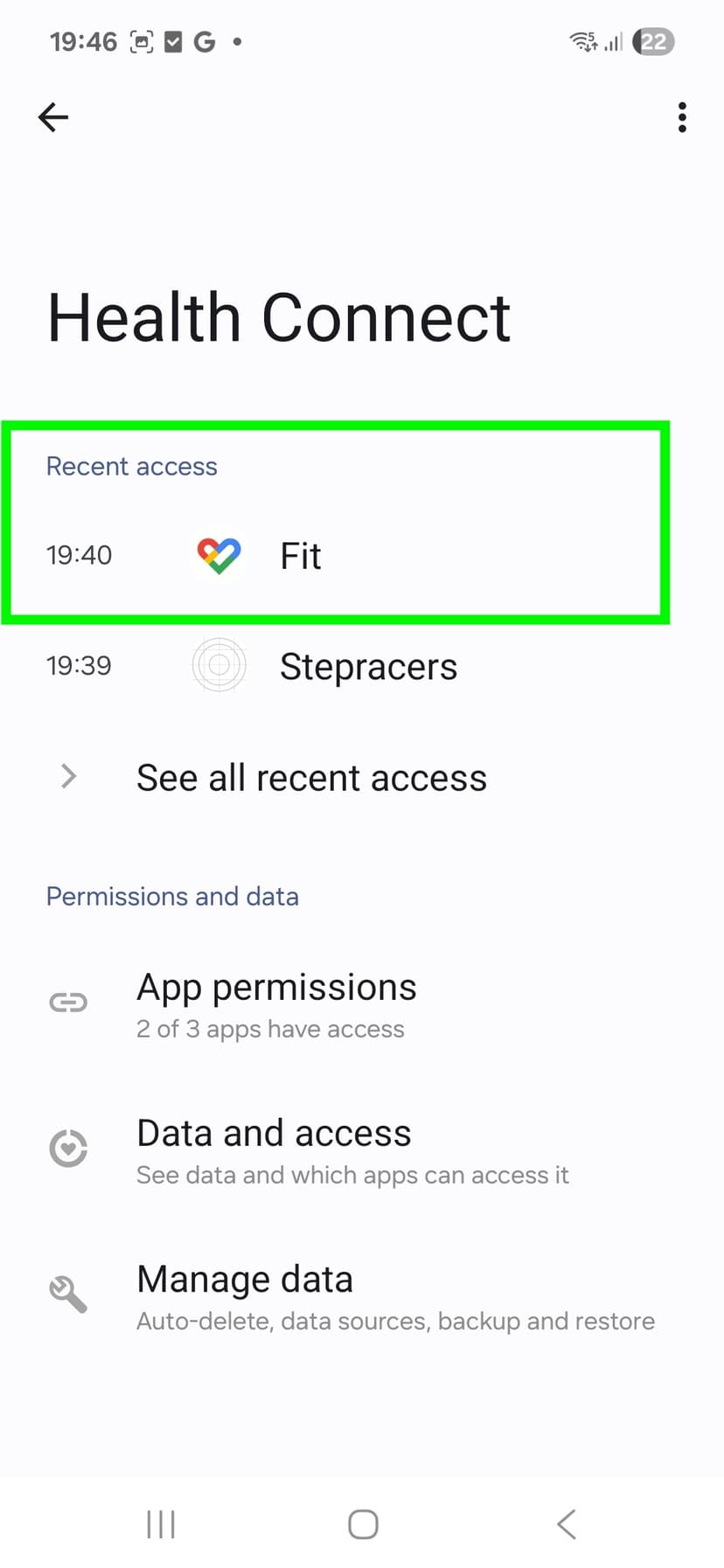
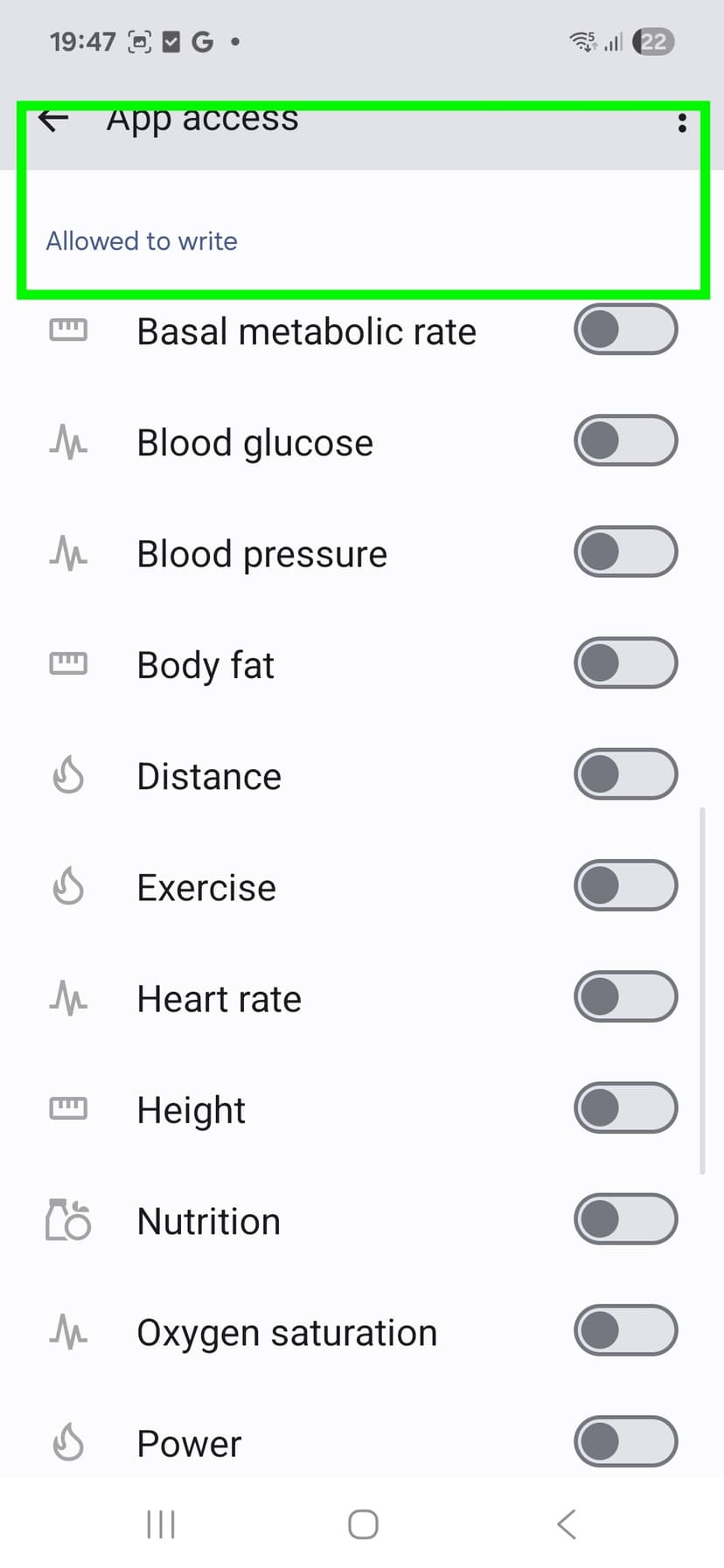
Find the Write Section
Scroll down to where it shows "Allowed to write"
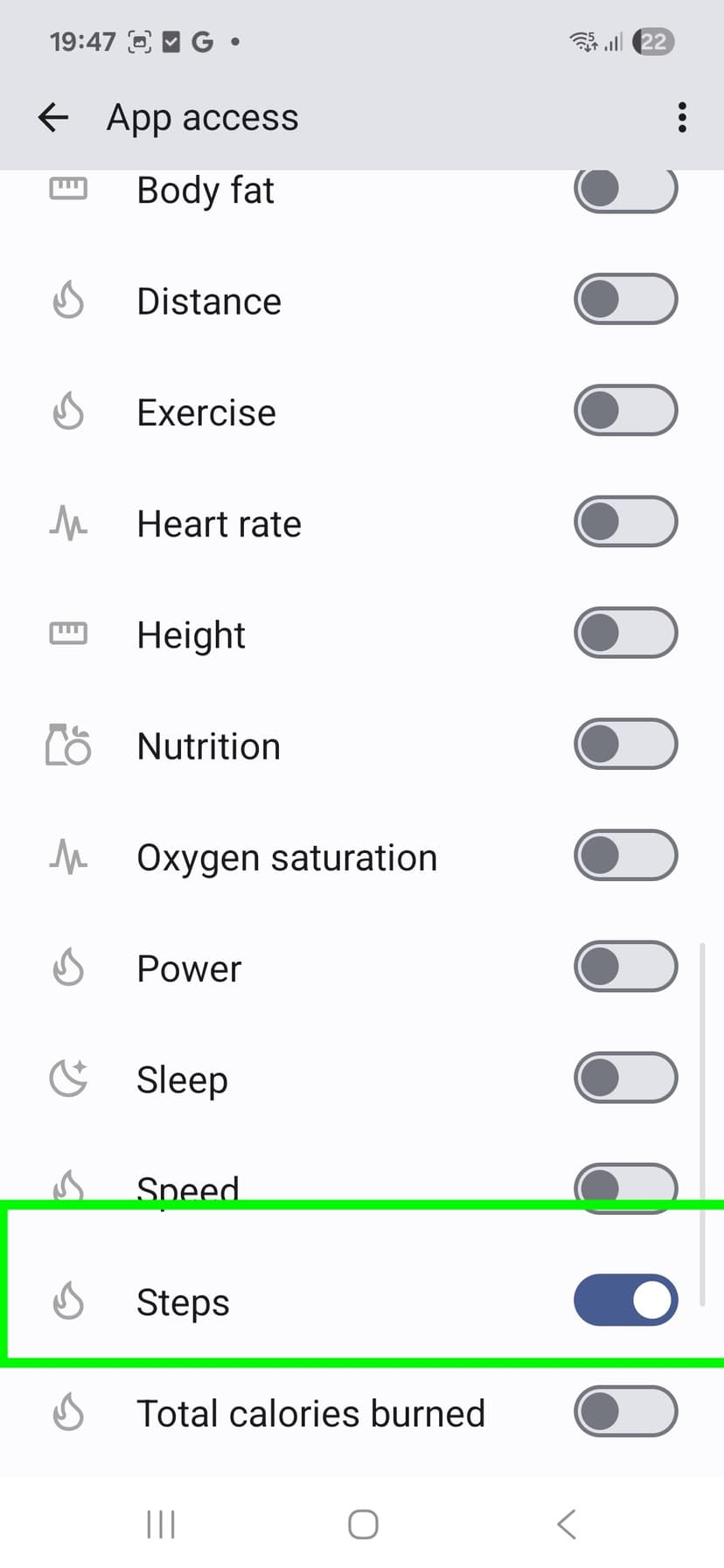
Enable Steps
Toggle the "Steps" option to allow your fitness tracker to write step data
Allow StepRacers to Read Steps
Make sure StepRacers has permission to read your step data
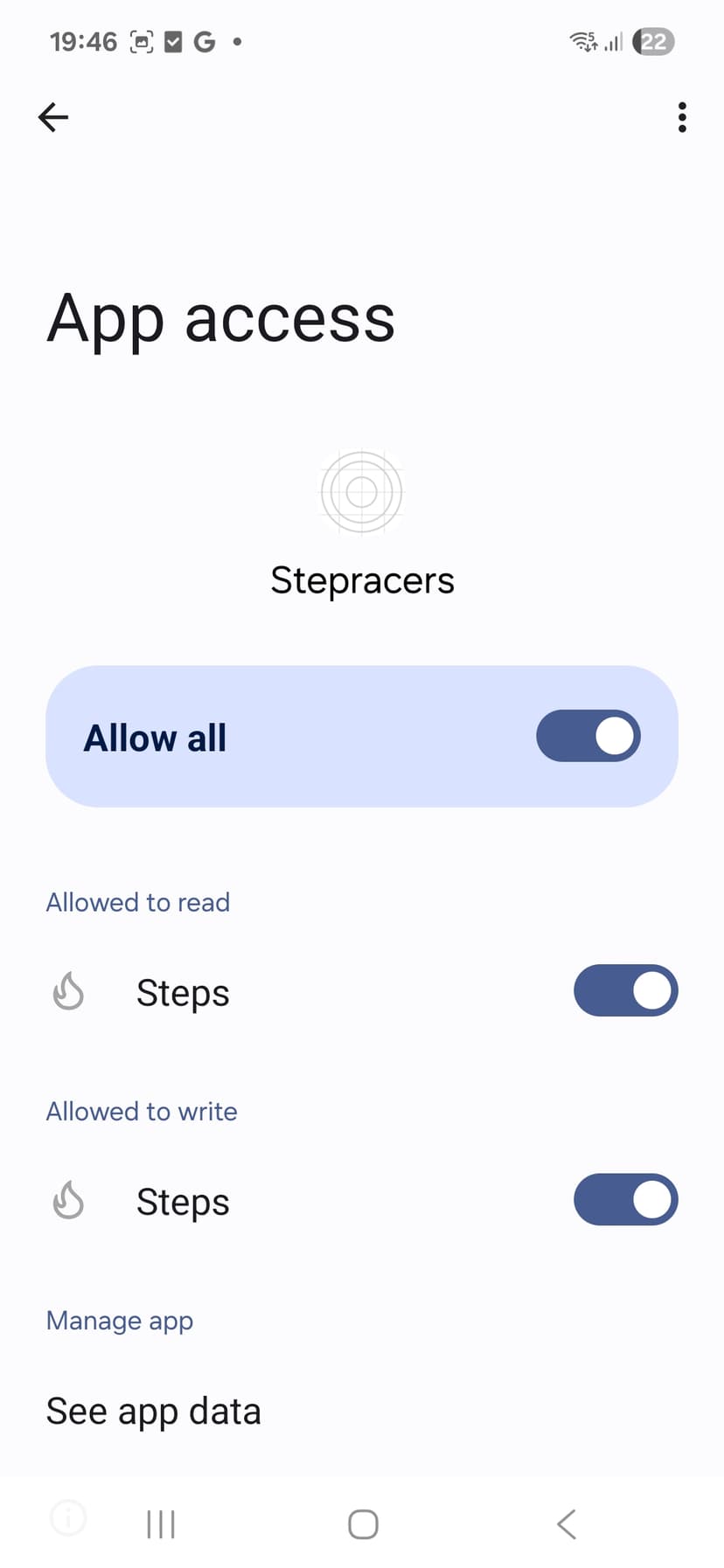
Enable "Allow all" or make sure "Steps" is toggled on under "Allowed to read" for StepRacers.
You're All Set!
Your steps will now sync automatically from your fitness tracker to StepRacers. Open the app and start racing!
Supported Fitness Trackers
Any fitness tracker that connects to Health Connect will work with StepRacers, including:
Samsung Health
Galaxy Watch, Galaxy Fit
Google Fit
Pixel Watch, Fitbit
Other Apps
Garmin, Xiaomi, and more